Chat with Your Tasks
Create, update, and query tasks through natural conversation. No forms, no clicking — just ask.
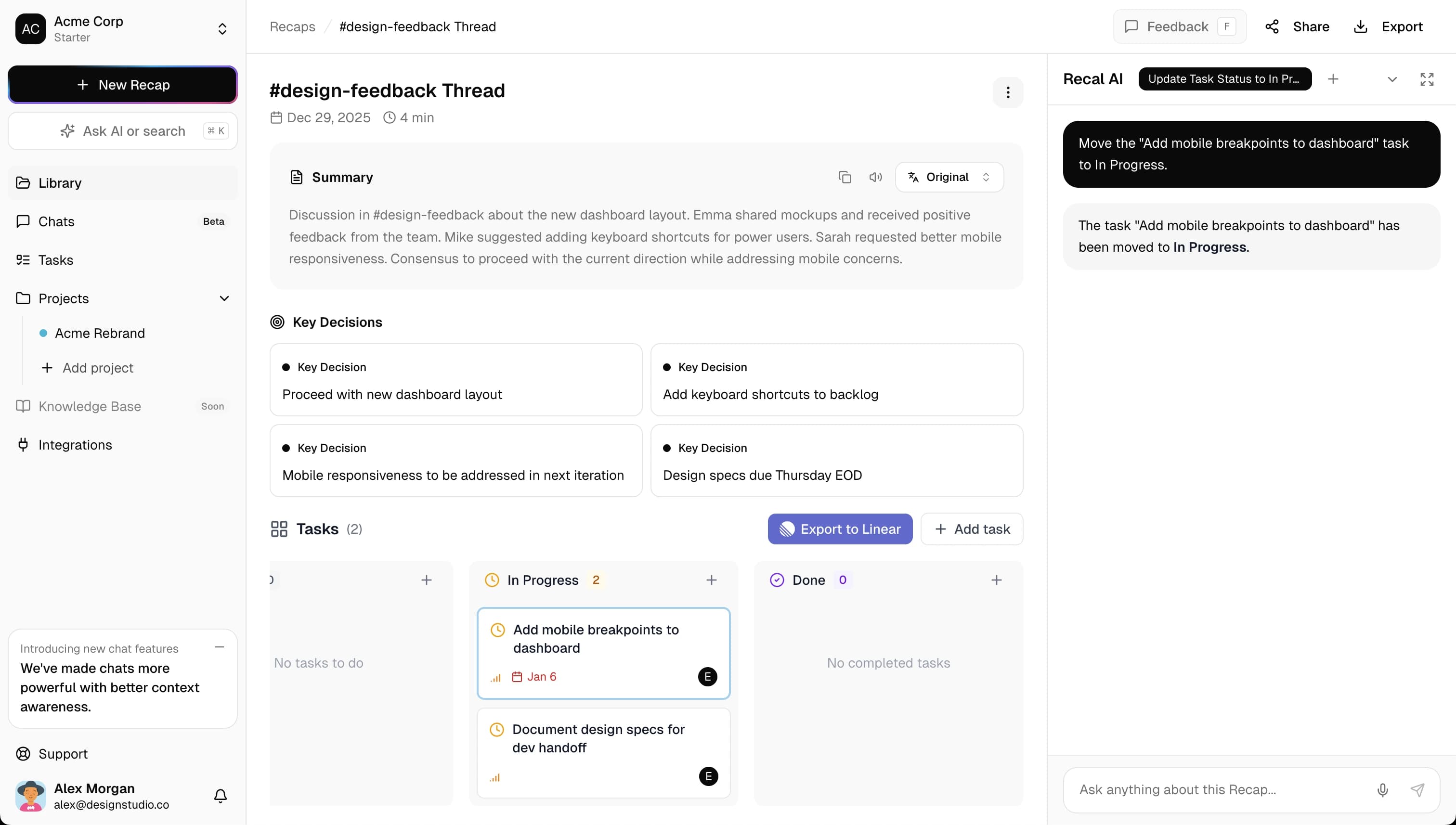
Manage Tasks by Chatting
Natural language commands for everything task-related.
Create Tasks
Tell the AI what needs to be done and it creates the task with all the details.
"Create a task for John to review the API docs by Friday"
Update Tasks
Change status, priority, or assignee just by asking.
"Mark the design review task as complete"
Bulk Extract
Turn meeting action items into tasks with one command.
"Create tasks for all action items from this meeting"
Query Status
Ask about tasks by assignee, status, or due date.
"What tasks are assigned to Sarah this week?"
See It in Action
Real examples of task management via chat.
Creating a Task
Create a task for the API redesign, assign to Maria, due next Friday
Got it! I've created the task.
Querying Tasks
What tasks are pending for the engineering team?
The engineering team has 4 pending tasks: API redesign (Maria), Database migration (John), Code review (Sarah), and Documentation update (Mike).
Smart Task Intelligence
AI that understands context and fills in the details.
Automatic Assignee Detection
Say "for John" or "assigned to Sarah" and the AI captures the assignee automatically.
Priority Inference
Words like "urgent", "ASAP", or "critical" automatically set high priority.
Due Date Parsing
Natural dates like "by Friday", "next week", or "end of month" are understood.
Context Awareness
Tasks reference the meeting or conversation they came from for full context.
Export Tasks Anywhere
Send tasks to your existing project management tools.
Linear
Push tasks directly to Linear
Notion
Sync tasks to Notion databases
Simple, transparent pricing
Start free, upgrade when you're ready. No hidden fees, cancel anytime.
What's included
- 30 min of async recaps per month
- Up to 3 async recaps per month
- AI summaries & tasks
- 3 Q&A questions per recap
- All integrations (Slack, Linear, Notion)
- 7-day retention
- Markdown export
Not included
- No meeting recaps
- No custom templates
- No team workspaces
What's included
- 5 hrs of meeting recaps/month
- 10 hrs of async recaps/month
- Up to 2 hrs per recap
- Up to 5 workspaces
- 3 team members per workspace
- Multiple recap templates
- 30 Q&A questions per recap
- All integrations
- 30-day retention
- Markdown & PDF export
What's included
- 15 hrs of meeting recaps/month
- 30 hrs of async recaps/month
- Up to 4 hrs per recap
- Unlimited workspaces
- 10 team members per workspace
- Custom recap templates
- 100 Q&A questions per recap
- All integrations
- 180-day retention
- Branded sharing
- Priority support
Have questions? Check our FAQ or contact us.
Chat with Tasks FAQ
Questions about AI-powered task management via conversation. Need more help? Reach out to us.
Just ask naturally: 'Create a task for John to review the API docs by Friday' or 'Add a task to follow up with the design team.' The AI understands natural language and creates tasks with titles, assignees, and due dates extracted from your request.
Yes! Say things like 'Mark the design review task as complete' or 'Change the priority of the API task to high.' The AI understands task updates and modifies them accordingly.
The AI detects assignees from your message context. Phrases like 'for Sarah', 'assigned to Mike', or '@john' are recognized automatically. If no assignee is mentioned, the task is created unassigned for you to review.
Absolutely! Ask 'What tasks are assigned to me?' or 'Show all pending tasks from last week's meeting.' The AI can query and summarize your tasks based on assignee, status, due date, or source.
Yes! When Recal extracts action items from a meeting or conversation, you can interact with them via chat: 'Create tasks for all action items' or 'Which action items don't have assignees yet?'
All tasks — whether created via chat or extracted automatically — can be exported to Linear, Notion, or copied as markdown. The export includes all task details including context from the original conversation.
Still have questions?
We're here to help you get started.
Start Managing Tasks with Chat
Create your first task by simply asking. No forms, no friction.